Grouping connections
Groups keep related connections together without changing how you connect. Names are case-insensitive, groups are flat, and each connection can belong to multiple groups.
Press Tab or Shift+Tab to switch focus between the left connection/form pane and the right group pane.
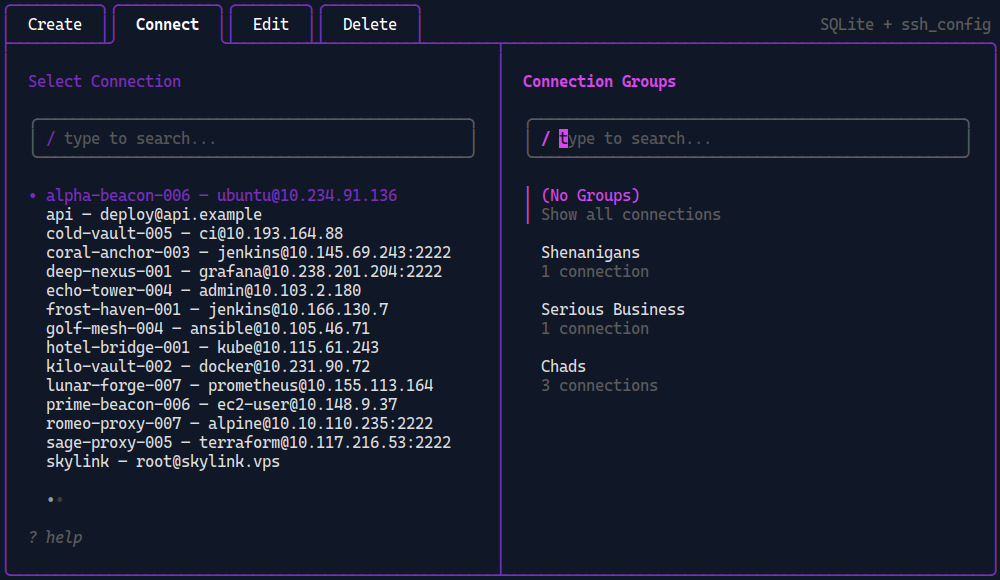
Grouping pane selected in dssh TUI
Create and manage groups
Section titled “Create and manage groups”In the TUI, focus the group pane in Connect, the Edit list, or Delete:
| Key | Action |
|---|---|
Ctrl+N |
Create a group |
Ctrl+R |
Rename the selected group |
Ctrl+D |
Delete the selected group and its memberships |
Deleting a group never deletes its connections.
The same lifecycle is available from the CLI:
dssh group create Productiondssh group rename Production Livedssh group listdssh group delete LiveDeletion is immediate. See the group command reference for every command and its exact behavior.
Assign connections
Section titled “Assign connections”In the TUI
Section titled “In the TUI”Create and an active Edit form show Assign Groups in the right pane. Press Space to toggle a membership, Ctrl+N to create and assign a group, then Ctrl+S to save from either pane.
Leaving the form without saving discards assignment changes.
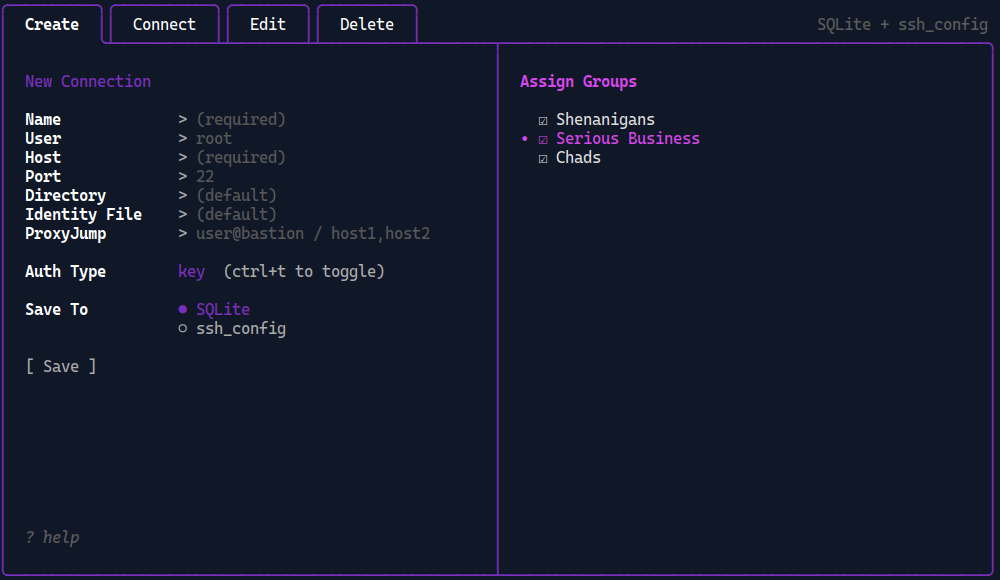
Assigning groups to new connection via right pane
From the CLI
Section titled “From the CLI”Assign existing groups while adding a connection:
dssh add api --group Production --group Europe deploy@api.example.comOr update existing connections as a batch:
dssh group assign Production api webdssh group unassign Production webGroups passed to dssh add must already exist. Assignment commands validate the group and every named connection before changing memberships.
See Manage connections for add syntax and flags.
Filter connections
Section titled “Filter connections”In Connect, the Edit list, and Delete, the right pane filters connections by group. Select a group to apply it immediately.
The pinned (No Groups) row removes the group filter and shows every connection. It does not mean “show only unassigned connections.”
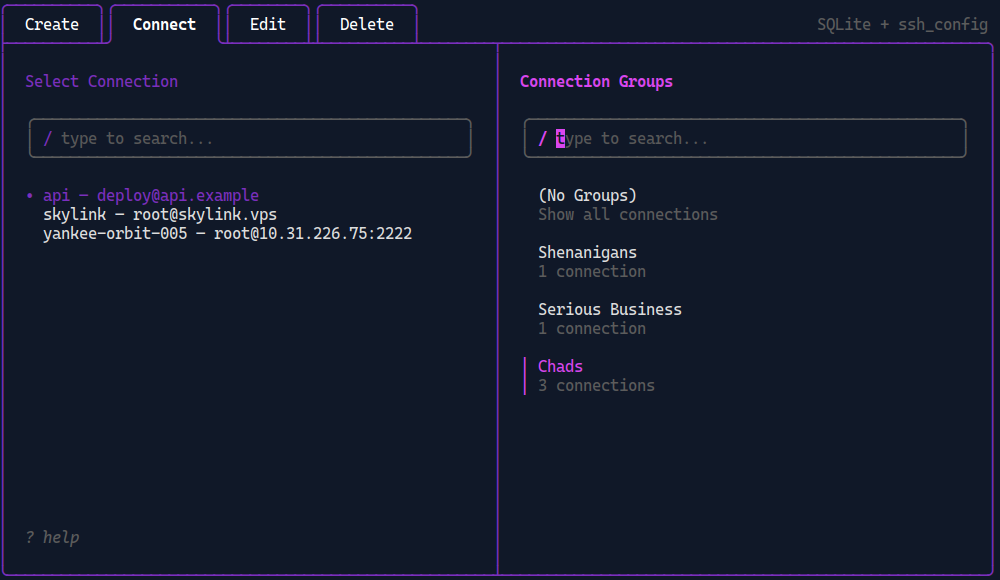
Filtering connections for "Chads" group
CLI filters cover both single-group and automation workflows:
dssh list --group Productiondssh list --group Production --group Stagingdssh list --ungroupedRepeated --group flags use OR semantics. --ungrouped means no memberships in the active source and cannot be combined with --group.
See Manage connections for list output, JSON, and empty-result behavior.
Groups in both mode
Section titled “Groups in both mode”Group definitions are global SQLite metadata. Memberships are source-scoped, so equally named SQLite and ssh_config connections can belong to different groups.
ssh_config memberships are also tied to the configured file path. Switching to another file does not carry those memberships across.
Reads span active sources. Membership writes in configured both mode require one explicit source:
dssh --sqlite group assign Production apidssh --sshconfig group assign Production api--both is invalid for membership writes. Use dssh group list to see counts for the active source or both source counts in both mode.
For every TUI shortcut, see TUI keybindings. For nesting and other boundaries, see Limitations.